Contents
Chapter 03
My Applications
The loan agreement you sign is what governs your loan. This guide explains how to use the website; where the two ever differ, your signed agreement prevails.
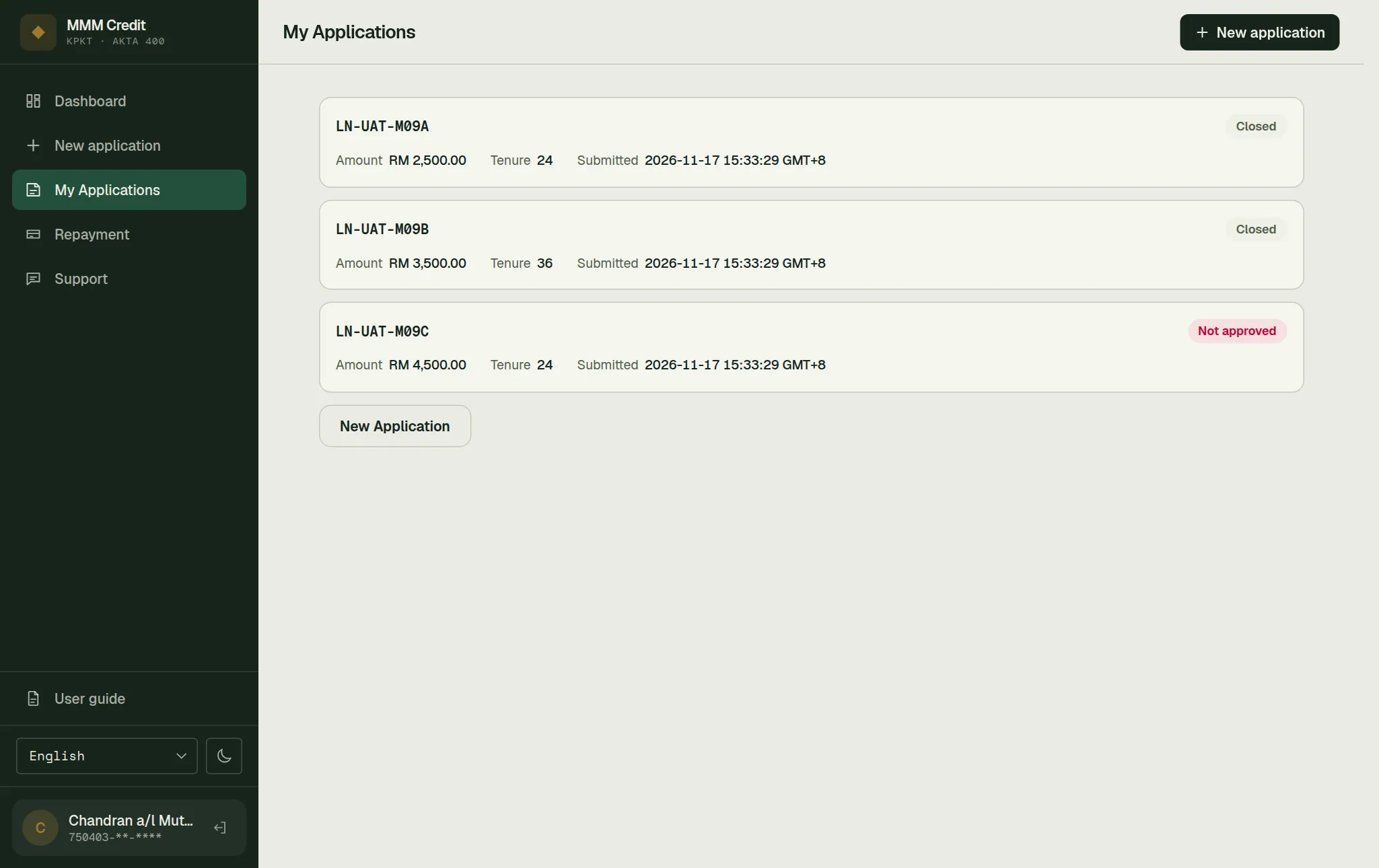
Every application you have ever made, newest first. The dashboard shows only the latest one; this is where the rest live.
Section 01
The list
Each application is one card showing its reference number, its status, the amount, the period in months, and the date you submitted it. Press anywhere on the card to open it.
If you have never applied, this page offers you the Apply for a loan button instead.
Section 02
What the statuses mean
Your application passes through a good many internal steps. You are shown six plain ones:
| Status | What it means |
|---|---|
| Draft | Started but not submitted. Nothing has reached us yet. |
| Under review | With us. Nothing for you to do unless the dashboard says otherwise. |
| Approved | Approved. Your dashboard asks you to sign the agreement. |
| Disbursed | The money has been released. See Repayment. |
| Not approved | We could not approve this application. |
| Closed | Cancelled or expired. |
Under review covers a lot of ground — first assessment, identity check, credit assessment, final decision, preparing and signing the agreement. That is intentional: the internal steps change as we improve the process, and a status that changed every few months would be more confusing than helpful. The progress bar on your dashboard is the better guide to how far along you are.
Section 03
Opening one application
Press a card to see everything we hold on that application, in four parts.
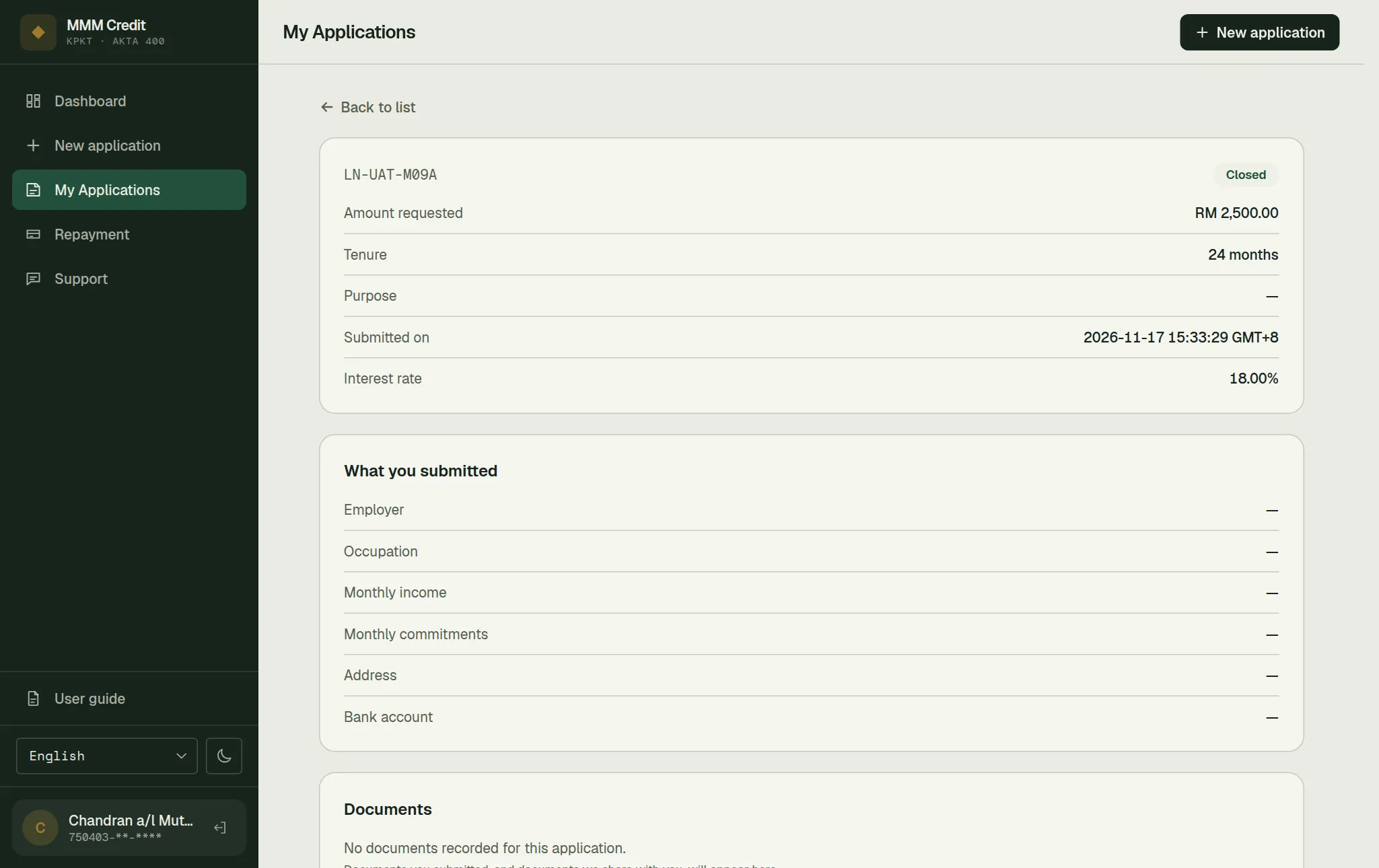
Summary
Amount requested, period, purpose, and the date submitted. Once your application is approved, two more lines appear: the approved amount and the interest rate. Before approval they are not shown at all, rather than shown empty.
What you submitted
Employer, job title, monthly income, monthly commitments, address and bank account — as you entered them. Your bank account number is partly hidden.
This is here so you do not have to phone us to remember what you told us. If something is wrong, do not try to correct it here — it is a record of what was submitted. Open a ticket under Support.
Documents
Everything attached to this application: what you uploaded, and anything we have shared with you. Each line shows what the document is, its size and when it was added. Documents from us carry a From us label.
Press one to open it in the document viewer: Bigger and Smaller change the size, Print / Save PDF keeps a copy, and Close brings you back.
Two documents arrive here by themselves, without anyone deciding to share them: your signed loan agreement once all three parties have signed it, and the stamp certificate from LHDN. Both are yours — the certificate is what shows the agreement is stamped, and an unstamped agreement is not admissible in court.
Apart from those two, only documents we have deliberately shared with you appear here. Our internal working files are not listed.
Progress
A dated list of the milestones on this application — submitted, under review, identity verified, credit assessment, approved, signed, disbursed, and so on.
Only meaningful milestones are listed, not every internal handling step, so the list reads as a history rather than as a log. Where a reviewer asked you for more documents, their message to you appears under that entry.
Section 04
"Application not found"
You get this if the reference number does not exist, or belongs to somebody else. It is the same message either way, which is why it can look odd if you have simply mistyped. Go Back to list and press the card instead of typing the reference.
Still stuck?
Talk to us.
Use the Contact Us form. If you have an account, log in and open a ticket under Support in your account: our replies stay on the ticket.
Never put your password or a verification code in a message or a ticket. Our team will never ask you for it.